
Hi. Some of the vault downloads are failing. It looks like some of them have a file extension html instead of txt. Probably best to stay with txt. I have sone plans for the recent vault entries. I hope to get the txts. Thanks!
These ones, namely
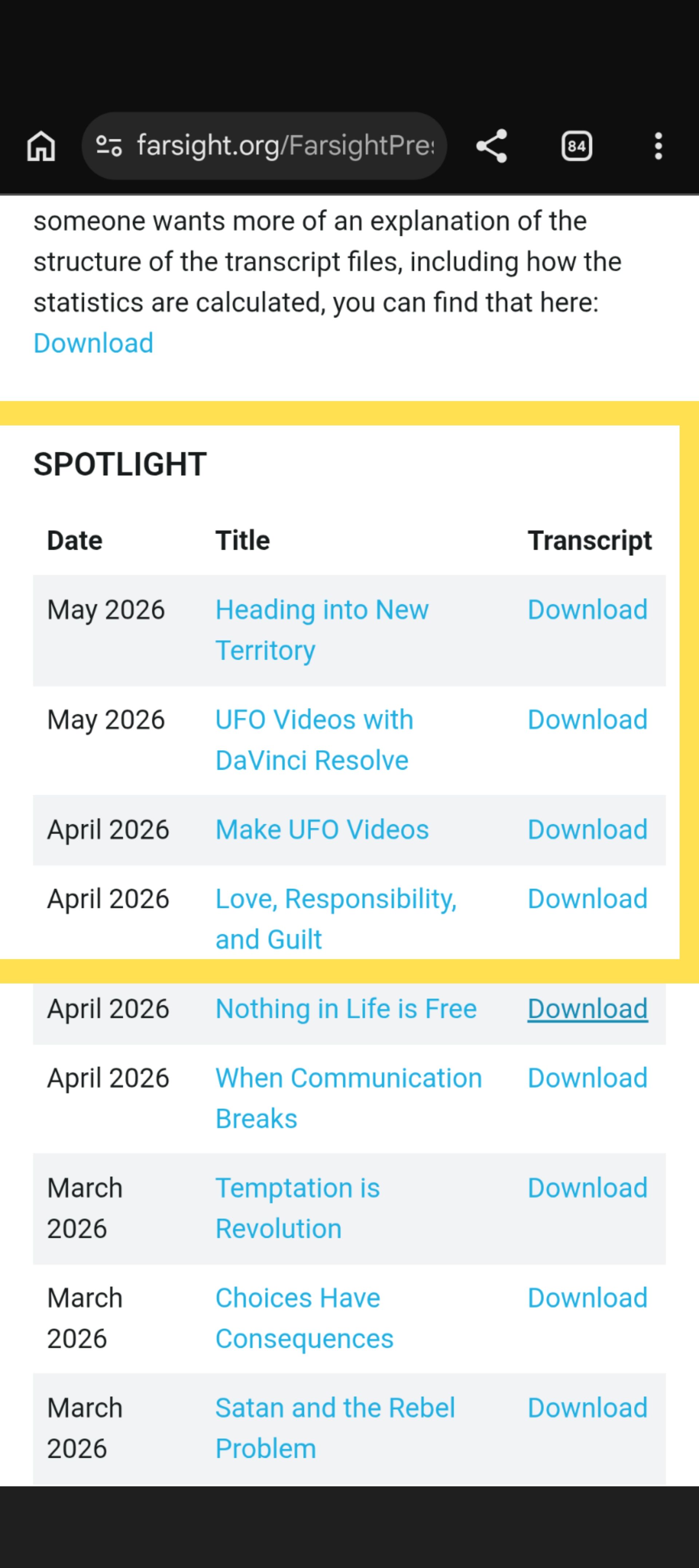
The spotlight texts are also on Youtube -open video description (scroll down to the end) and select show transcript then mark it and copy + paste...
Thanks Elemi I tried that workaround but it seems it doesn't let me highlight the entire set at once. Just a snippet at a time. Unless you have a way to get the full article in one shot
You need to scroll the whole transcript down to the end first (so it loads completely), then mark a word at the end or beginning and hold the left mouse button. Then move the mouse into the direction you want to mark holding the button. That will make the transcript scroll through fast and mark it (the higher/lower you move the mouse indicator, the faster it will scroll). Its a bit tricky, but once you figure it out it will work work really quickly...
Alternative: If you use Firefox, then you can quickly install an Add-on to do this with one click: Go to Extras - Add-ons and search Mozilla for "transcript" Or just click this link:
https://addons.mozilla.org/en-US/firefox/search/?q=transcript
Then you see a list of different tools (some may work, some might be old/outdated, take one with many good reviews and latest update.
Example:
https://addons.mozilla.org/en/firefox/addon/youtube-transcript-copy/?utm_source=addons.mozilla.org&utm_medium=referral&utm_content=search
Install one and you have a new button on the Youtube interface which you can click...
Maybe also available in other Browsers -I don't know
In Firefox there are so many cool tools...
taz